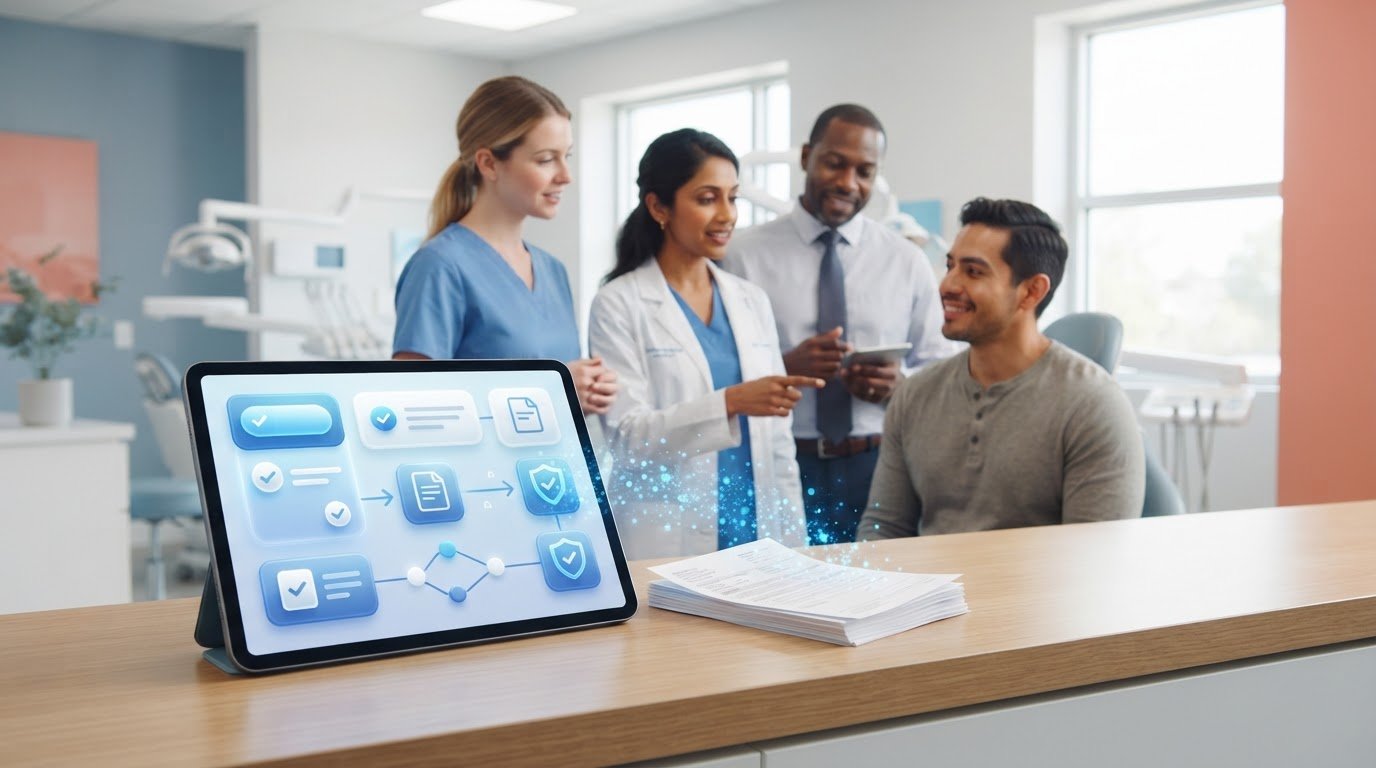
What if going paperless meant fewer handoffs and follow-ups, not simply replacing paper forms with digital copies? The right paperless dental office solutions can make instructions, consent forms, and patient communications easier to find, send, and track. They can also help reduce repeated data entry across disconnected workflows.
If paper forms are difficult to locate or distribute consistently, it makes sense to look for a system that brings more order to daily tasks. But software can add complexity if it doesn’t fit your practice’s workflows or is mistaken for a full practice management system.
This guide explains which workflows are good candidates for digitization and how to compare solutions using practical, dental-specific criteria. You’ll learn what to check for in communication features, document delivery, and implementation, and how to plan a manageable transition while keeping print options available. The goal is a more consistent way to manage patient communication and documentation without disrupting the clinical and administrative work your team already relies on.
Key Takeaways
- Evaluate paperless dental office solutions by the job they perform, from delivering forms to coordinating broader practice workflows.
- Compare delivery formats, language support, tracking, reporting, and print availability before choosing a system.
- Map current handoffs and follow-ups to identify duplicate entry and unclear task ownership before rollout.
- Set operational baselines, pilot the new process, and review its effect on staff workload and follow-up completion.
- Consider focused tools such as digital consent forms, post-treatment instructions, automated follow-ups, referral management, and a patient portal, while confirming whether you still need a separate PMS.
What paperless dental office solutions should actually change
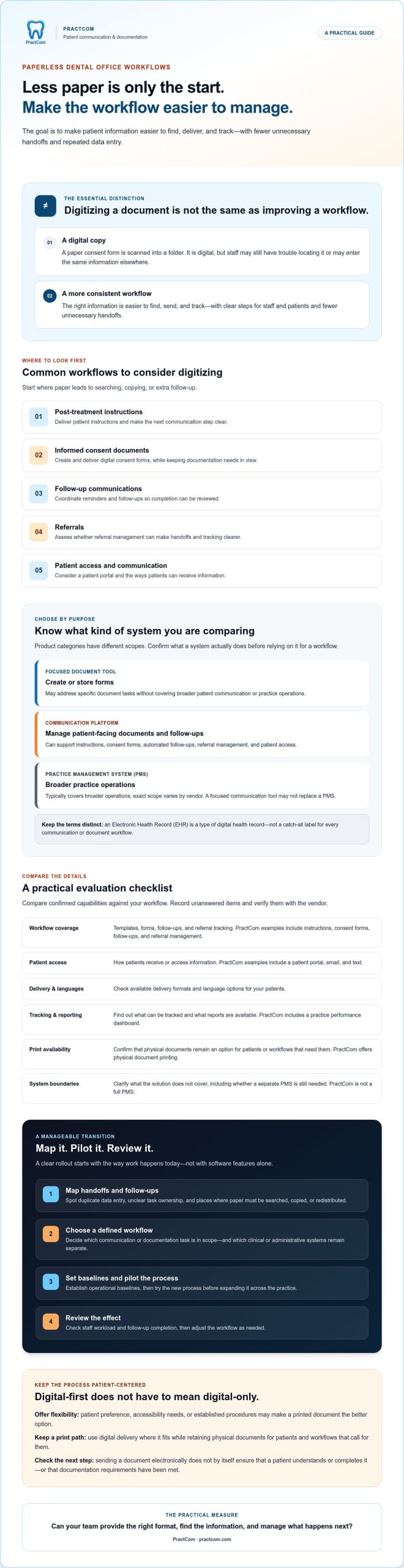
Removing paper changes a document’s format. Improving a workflow makes the right information easier to find, deliver, and track, with clear steps for staff and patients. Scanning a consent form into a folder preserves it digitally, but may not make it easier to locate or prevent staff from entering the same information elsewhere.
Paperless dental office solutions are tools that create, deliver, store, or track digital practice information. Workflow improves when those tools also reduce unnecessary handoffs and clarify responsibilities. The term can describe focused communication and document tools, as well as systems with broader clinical or administrative functions. Those categories aren’t interchangeable. An Electronic Health Record (EHR) is a distinct type of digital health record, not a catch-all name for every patient communication or document workflow.
A practice can digitize selected processes without eliminating every printed document. Start by identifying where paper causes avoidable searching, copying, or follow-up. Then distinguish those tasks from clinical records and core administrative systems, which may have separate requirements.
Which dental office workflows commonly depend on paper?
Patient-facing workflows often involve post-treatment instructions, informed consent documents, referrals, and follow-up communications. A form might be printed for a patient, scanned back into a file, and later retrieved by a staff member. Each handoff adds another opportunity for information to be misplaced, delayed, or entered again.
These communication tasks differ from maintaining clinical records or running administrative systems such as scheduling and billing. A focused tool may help organize documents and patient messages while the practice continues using separate systems for other functions. Define the workflow first so you don’t mistake digitizing a communication step for replacing the systems that support the rest of the office.
Does paperless mean every patient interaction must be digital?
No. Patient preference, accessibility needs, or established practice procedures may make a printed document the better option. A digital process should support clear communication, not force every patient into the same format. Sending a document electronically also doesn’t ensure that a patient understands or completes it, or that the practice has met its documentation requirements.
Mixed-format delivery preserves flexibility. PractCom supports sending documents by email or text and offers physical document printing. A practice can use digital delivery where it fits while keeping a print option for patients or workflows that call for one. The practical measure is whether staff can provide the appropriate format and manage the next step, not whether every sheet of paper disappears.
Compare paperless dental office solutions by workflow and scope
Compare systems by the work they’re meant to do, not by the number of features on a list. A focused communication platform may help manage patient-facing documents and follow-ups. A document tool may mainly create or store forms. A practice management system (PMS) typically covers broader practice operations, but the exact scope varies by vendor. Matching the product category to the workflow helps you avoid paying for overlap or expecting a tool to handle tasks outside its purpose.
Use a comparison table to separate confirmed capabilities from questions that still need answers. For a broader look at platform alternatives, see this dental software comparison guide.
What should a dental software comparison table include?
Record what each option can do for your practice, then confirm any unclear details with the vendor. PractCom supports patient communication and documentation, including post-treatment instructions, digital informed consent forms, automated follow-ups, referral management, a patient portal, and a practice performance dashboard. It isn’t a full PMS.
| Comparison area | What to assess | PractCom example |
|---|---|---|
| Workflow coverage | Templates, forms, follow-ups, and referral tracking | Instructions, consent forms, follow-ups, and referral management |
| Patient access | How patients receive or access information | Patient portal, email, and text |
| Delivery and languages | Available formats and language options | Documents by email or text in 15 languages |
| Tracking and reporting | What staff can monitor and what reports are available | Automated follow-ups and a practice performance dashboard |
| Print support | Whether paper copies remain an option | Physical document printing |
Ask vendors to confirm integrations, security and privacy details, electronic signature workflows, and data-transfer options. Don’t assume a feature is included because it appeared in a demo or because another system offers it. Record each answer and note whether the capability is included, requires another tool, or remains unverified.
How is a communication platform different from a PMS?
A communication platform supports patient-facing documentation and interactions. A PMS generally manages a wider set of practice operations, but features vary across products. Ask vendors to show exactly which workflows their system handles, where information is stored, and whether staff must enter it again elsewhere.
PractCom supports communication and documentation workflows; it isn’t a replacement for a full PMS. If you’re assessing whether those focused workflows fit your needs, you can explore PractCom’s communication platform alongside your other options.
Address the main concern: will a paperless system disrupt patient care?
It can, especially if a new tool changes patient communication before staff know who handles each step. Moving consent forms or follow-up messages into a digital workflow takes training, process updates, and time to test. Duplicate entry can happen when staff continue using the old process alongside the new one. Tasks can also be missed if ownership is unclear or adoption varies across the team.
That doesn’t mean paperless dental office solutions have to disrupt care. Introduce changes in a controlled way, make responsibility for each handoff explicit, and monitor where patients or staff encounter friction. For consent-specific considerations, consult a qualified adviser and review a digital informed consent guide.
How can practices protect patient access during the transition?
Keep an appropriate print pathway available for patients who need or prefer physical documents. PractCom offers physical document printing alongside email and text delivery, supporting a mixed-format approach. Before wider use, have representative staff test the process from preparation through delivery. Ask patients with different access needs to review whether documents are readable and understandable.
Plan for delivery problems, too. Decide who responds if a message can’t be delivered, how staff will provide the information another way, and where urgent clinical questions should go. Digital delivery is a communication channel, not a substitute for clinical judgment or a clear route to the care team.
What privacy and documentation questions should buyers ask?
Ask vendors for clear documentation about how information is handled, who can access it, how long records are retained, and what happens if an incident occurs. Confirm what the system records about document delivery or completion, and how the practice can retrieve information when needed. Treat claims about security, privacy, signatures, or data transfer as items to verify rather than assumptions.
Have qualified privacy and legal advisers assess applicable obligations and vendor statements before rollout. Then turn their guidance into practice procedures: who reviews forms, who follows up on incomplete steps, and how staff escalate concerns. Software can support consistent documentation, but it can’t replace your policies or professional oversight.
Plan a practical evaluation and rollout for your dental office
Start with the work your team already does, not a software demo. Use this five-step process to evaluate paperless dental office solutions against real handoffs and patient needs:
- Map the workflow. Follow one process, such as sending post-treatment instructions, from preparation through delivery and follow-up. Note each staff handoff, paper form, re-entry point, and delay.
- Define requirements. Separate essential capabilities from preferences. Consider delivery channels, language needs, printing, reporting, documentation, and who needs access.
- Compare vendors. Ask each vendor to demonstrate your workflow. Clarify what’s included, what requires another tool, and what still needs verification.
- Pilot one workflow. Choose a suitable process and a defined staff group. Agree on the review period and keep an appropriate fallback in place.
- Review and adjust. Compare the pilot with your baseline, address problems, update procedures, and decide whether to expand.
Consider how a change affects connected steps, not just the form being digitized. A revised document workflow may change who prepares information, checks delivery, or handles a patient’s question. Map those responsibilities before launch.
How should a practice prepare its requirements?
List the paper-heavy workflows that cause the most friction and name the person responsible for each handoff. Then document the practice’s needs for templates, digital forms, follow-up automation, referral tracking, patient access, delivery channels, languages, reporting, and print support. Mark each as a must-have or preference before requesting demonstrations. This keeps vendor conversations focused on actual work rather than features that don’t solve a defined problem.
Set a baseline you can compare against later. For example, record the current number of handling steps for a workflow, how staff track follow-ups, or how often a task needs correction. Establish the starting point before setting an improvement target.
How can a practice test adoption before wider use?
During the pilot, assign clear owners for templates, staff training, patient questions, and ongoing review. Ask participating staff and patients whether the content is clear, accessible, and easy to complete. Record where a message fails, a step is repeated, or someone needs help. Use those observations to revise instructions and procedures before extending the process to other workflows.
After the pilot, review the same baseline measures and gather feedback. A process that looks efficient in a demonstration may feel different during a busy clinic day. For a closer look at PractCom’s patient communication tools, explore the platform.
Choose a paperless dental solution that fits your communication needs
The right choice depends on the workflow you need to improve, how patients will access information, and whether staff can use the system consistently. Look for a clear match between daily tasks and confirmed capabilities, not a broad feature list. A tool that supports instructions and follow-ups may be useful for patient communication, but don’t assume it handles scheduling, billing, or other functions of a full practice management system.
PractCom offers patient communication and documentation tools, including post-treatment instructions, digital informed consent forms, automated follow-ups, referral management, and a patient portal. Documents can be delivered by email or text in 15 languages, with physical printing also available. PractCom supports communication and documentation workflows; it isn’t a full PMS replacement.
When is a focused communication platform worth considering?
Consider a focused platform if patient documents and follow-ups are fragmented across paper, repeated manual tasks, or separate processes. Before evaluating a vendor, identify the specific workflow causing friction and confirm that the product supports the document types, delivery channels, languages, and print options it requires. Ask for details about any feature that matters to your practice rather than assuming it’s included.
Match capabilities to the needs you’ve documented. For example, a practice that regularly sends post-treatment instructions may assess template access and delivery choices, while a practice managing referrals may focus on how referral tasks are handled. Don’t rely on unverified promises about integrations, security, or results.
What should buyers confirm before choosing PractCom?
Confirm current features and workflow fit directly with the vendor. Ask how the platform would support your communication steps, what information staff may need to enter, and whether any integration requirements can be met. Review the platform’s stated scope and use the frequently asked product questions to identify items to verify, including security documentation and data handling.
Compare your findings with the must-haves you set before demonstrations. Check that staff understand their responsibilities, patients have suitable access options, and you know which functions remain with your existing systems. Clear boundaries matter: a communication platform can support patient-facing documentation without replacing the systems your practice uses for broader operations.
If the workflow and capabilities fit your needs, explore a paperless communication solution as a possible next step in your evaluation.
Choose a system that makes communication easier to manage
The right paperless dental office solutions fit the workflow you need to improve, give patients accessible ways to receive information, and make staff responsibilities clear. Compare capabilities against your practice’s actual requirements, confirm details with vendors, and pilot changes before expanding them. Digitizing documents should support dependable communication, not add duplicate steps or force every patient into a digital-only process.
For practices focused on patient communication and documentation, PractCom offers a library of more than 80 post-treatment instruction templates, digital informed consent forms, automated follow-ups, and referral management. Documents can be sent by email, text, or print in 15 languages. PractCom supports these workflows; it doesn’t replace a full practice management system.
Ready to assess the fit for your practice? Explore PractCom’s patient communication platform and consider which communication tasks your team wants to make more consistent.
Frequently Asked Questions
What are paperless dental office solutions?
Paperless dental office solutions are tools and workflows that help a practice create, deliver, store, or track information digitally instead of relying entirely on paper. Examples include digital informed consent forms, patient instructions, referrals, and follow-up communications. Going paperless doesn’t have to mean going print-free. A practice can keep printed documents available when patients prefer them, accessibility needs call for them, or established procedures make them appropriate.
Can a dental office go paperless without replacing its PMS?
Yes, a practice can often digitize selected communication and documentation workflows while keeping its existing practice management system (PMS). Clarify which system owns each task and record, then confirm whether the tools share information or require staff to enter it manually. A focused communication platform isn’t automatically a PMS replacement. Check the vendor’s stated scope and test compatibility with your workflows before choosing.
How do I choose paperless software for a dental practice?
Start with the paper-heavy workflows that create the most friction, such as sending patient instructions, managing consent, tracking referrals, or completing follow-ups. Compare paperless dental office solutions based on patient access, delivery formats, language options, reporting, printing, documented security practices, and support. Ask vendors to demonstrate realistic scenarios, confirm important claims in writing, and test one suitable workflow with staff before expanding to other processes.
Is digital informed consent enough to protect a dental practice?
No. A digital form can support a more organized consent workflow, but using one alone doesn’t guarantee valid consent or eliminate risk. Requirements may depend on the circumstances and applicable rules. Before relying on a system, have qualified legal and privacy advisers review your procedures, form content, signature process, recordkeeping, and vendor documentation. Keep appropriate staff oversight in place so the digital workflow supports, rather than replaces, professional judgment.
Can paperless dental solutions still provide printed documents?
Yes, some solutions support both digital delivery and physical printing. This gives a practice options for patients who prefer paper or need another format. Confirm that printing is available for the specific documents you use, and ask how printed copies are created, stored, and recorded in your process. PractCom supports document delivery by email or text in 15 languages, as well as physical document printing.
What should I ask a vendor before adopting paperless dental software?
Ask which workflows the product supports and whether it complements or replaces your PMS. Confirm how patients receive documents, which languages and print options are available, and what staff access controls, data handling, and retention practices are documented. Request written details about integrations, delivery failures, support, and product updates. Review security and compliance claims with appropriate professional advisers, and make sure the vendor’s answers match your practice’s needs.

Article by
Cary Ganz DDS
Dr. Cary H. Ganz is a dentist, prosthodontist, entrepreneur, lecturer, and author with more than 50 years of experience in clinical dentistry and dental technology. Throughout his career, he has combined hands-on patient care with a deep understanding of how technology can improve dental practice operations, communication, documentation, and patient outcomes.
In addition to his clinical background, Dr. Ganz has held significant leadership roles in the dental technology industry, including Past Owner and Vice President of Clinical Affairs at DEXIS Digital Radiography and Past Vice President of Clinical Affairs at Denticon Practice Management Software. His business experience includes product development, clinical strategy, dental software innovation, practice management solutions, and educating dental professionals on the effective use of technology in modern dentistry.
Today, Dr. Ganz continues to focus on creating practical technology solutions for dental practices, including PractCom, a comprehensive dental practice communication platform designed to improve patient communication, documentation, compliance support, referrals, and overall practice efficiency. His work reflects a career-long commitment to helping dentists deliver better care while making their practices more organized, efficient, and protected.
No responses yet