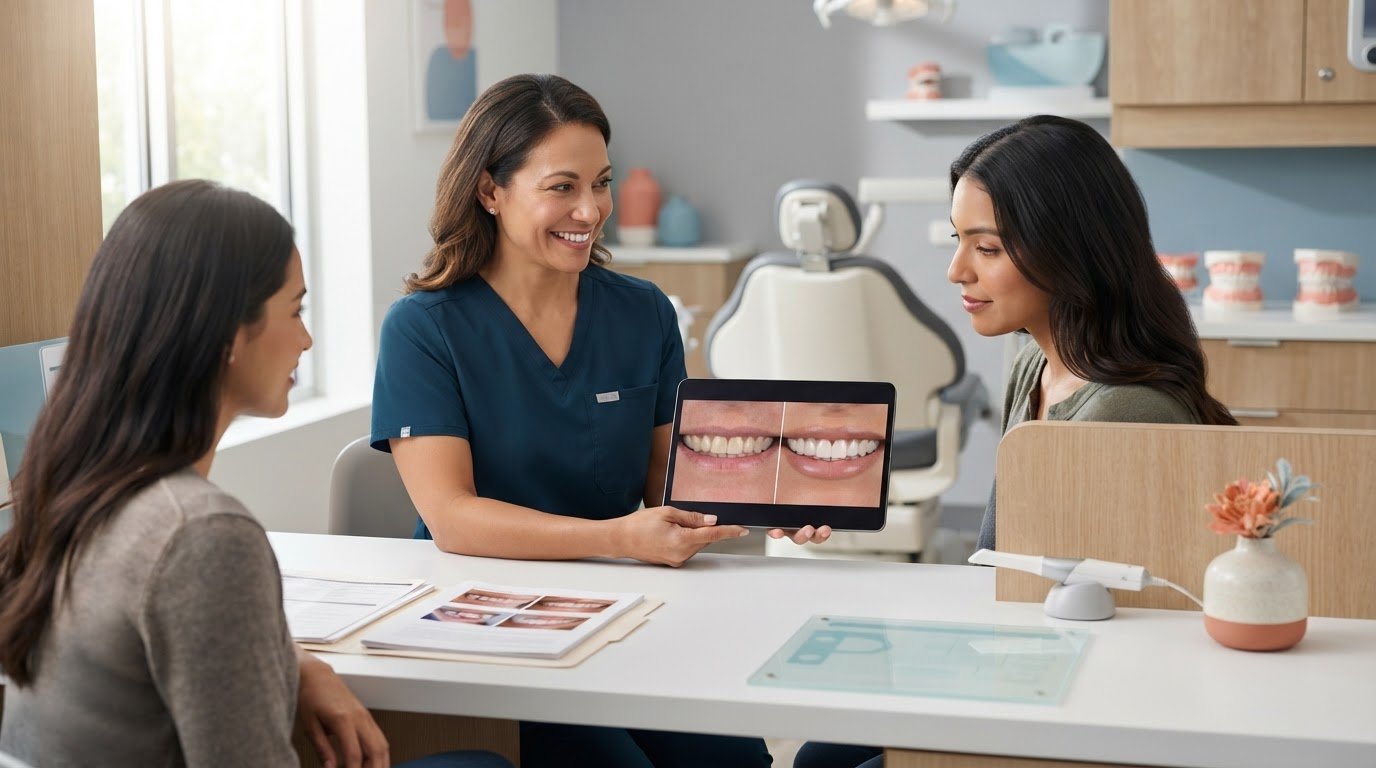
What if the most useful veneer preview is the one that makes clear what it can’t promise? Patients may find it difficult to picture how proposed changes could affect their own smile, and generic before-and-after photos may not reflect their starting point. Knowing how to show patients before and after veneers means using visuals to make the conversation more concrete while explaining that a preview isn’t a guaranteed clinical result.
A thoughtful visual discussion can help patients understand possible changes, ask focused questions, and consider whether treatment aligns with their goals. This guide covers how to prepare and present veneer previews, explain their limitations, and set expectations before a treatment decision. It also shows how visualization can fit into an organized communication process, alongside clear documentation and follow-up. PractCom’s smile design tool supports before-and-after cosmetic visualizations, giving you a visual aid for the clinical conversation, not a substitute for it.
Key Takeaways
- Start with the patient’s aesthetic priorities, then choose a preview method that supports the discussion.
- Compare reference photos, clinical photography, digital smile design, and mock-ups by what each can illustrate and what it can’t establish.
- Use a clear, step-by-step approach to help patients interpret a veneer preview in the context of their own smile.
- When considering how to show patients before and after veneers, explain how lighting, camera angle, and visualization choices can shape what they see.
- Connect the preview discussion with consistent follow-up and documentation so patients can revisit key information after the consultation.
Why show patients a before-and-after veneer preview?
A veneer preview gives patients a visual aid for discussing possible changes before deciding whether to proceed. It can make an abstract conversation about tooth shape, proportion, or overall appearance easier to follow. Put simply: A veneer preview is an educational visual aid for exploring possible aesthetic changes, not a prediction or promise of the final result.
That distinction matters. A preview can help clarify what a patient likes, what they might change, and what questions they want answered. It cannot establish whether veneers are suitable or determine the final treatment plan. Veneers have different purposes, materials, and applications, as outlined in Veneer (dentistry). The right approach for an individual patient depends on clinical assessment and discussion.
What patients need to understand before viewing a veneer preview
Set the context before showing a visual. Explain that it illustrates one possibility for discussion and that the actual outcome may differ. Suitability and planning depend on the patient’s individual circumstances, so the preview should not stand alone as a treatment recommendation.
First, ask what matters most to the patient. They may want to discuss a particular tooth, the overall balance of their smile, or a subtle rather than dramatic change. Understanding these priorities helps you interpret the visual together instead of asking the patient to accept a design that may not reflect their goals.
How visuals support a patient-centered consultation
A visual gives the clinician and patient something specific to refer to. It can make preferences easier to express and bring out questions that might otherwise go unasked. For example, a patient may like a proposed shape but want to discuss a different overall appearance. That response opens a useful conversation; it doesn’t settle the clinical decision.
Pair the image with a plain-language explanation of what it represents and what still needs assessment. Invite the patient to describe what they notice, then distinguish aesthetic concepts from matters that require clinical evaluation. A positive response to a preview is not evidence of suitability or informed agreement to treatment.
PractCom’s smile design tool supports before-and-after cosmetic visualizations. Used as one part of the consultation, a visualization can make the conversation more concrete while keeping clinical judgment and patient priorities central. The practical approach to how to show patients before and after veneers is to use the visual to support a shared discussion, not replace one.
Which methods can show possible veneer results?
The right visualization method depends on what you want the patient to understand. Reference photos can help communicate an aesthetic direction, while clinical photos document the patient’s own smile. Digital smile design and mock-ups can make a proposed change more individualized. Each method has a different role, and none can determine treatment suitability or replace clinical assessment and planning.
| Method | Purpose and strengths | Limitations |
|---|---|---|
| Reference photographs | Show examples of shapes, proportions, or aesthetic styles that can help patients describe their preferences. | They show another person’s result, not a prediction of the patient’s outcome. |
| Clinical photography | Records the patient’s smile and gives the clinician and patient a shared visual reference. | A photograph documents the starting point. It doesn’t show how treatment will look or establish suitability. |
| Digital smile design | Illustrates possible cosmetic changes on a patient-specific visual and supports discussion of a proposed direction. | The preview is an illustration. Its relevance depends on case-specific clinical planning, and it can’t guarantee the final result. |
| Mock-up | Makes a proposed look more tangible, helping patients discuss how a design might appear. | It represents a proposed appearance, not proof of the final clinical result or a treatment plan on its own. |
Using before-and-after photographs responsibly
Choose reference examples that relate to the change under discussion, such as tooth shape or overall smile balance. Explain what the images illustrate and how the comparison differs from the patient’s own circumstances. When taking clinical photographs, keep conditions consistent, including lighting, angle, and distance, so the images don’t exaggerate changes. Use patient images only with appropriate permission and privacy safeguards.
Digital smile design and mock-up previews
Digital smile design can help patients visualize proposed cosmetic changes in relation to their own smile. A mock-up can make a suggested appearance easier to discuss and refine. Both methods work best when linked to the patient’s priorities and clinical plan. PractCom’s smile design tool supports before-and-after cosmetic visualizations for these discussions. Explore PractCom’s smile visualization.
When deciding how to show patients before and after veneers, match the method to the question, explain its limitations, and use the visual to guide discussion. An image can clarify preferences; individual assessment and planning guide clinical decisions.
How to show a patient a veneer preview step by step
A useful preview discussion starts with the patient’s priorities, not the capabilities of a particular tool. This keeps the conversation focused on what the patient hopes to understand and gives you a clear basis for explaining what the visual can and can’t show.
- Ask what the patient hopes to change. Invite them to describe what they’d like to look different and what they want to preserve. An open question such as, “What would you most like to discuss about your smile?” can help distinguish their goals from assumptions about what they want.
- Review relevant clinical information. Consider the patient’s individual circumstances before preparing or presenting a visualization. A visual can support discussion, but it doesn’t establish suitability or replace clinical assessment and treatment planning.
- Agree on the preview’s purpose. Explain what the patient will see and why. Set the expectation that it illustrates a proposed aesthetic direction for discussion, not a guaranteed result or commitment to treatment.
- Present the visualization with context. Show the preview and describe the changes in plain language. Explain which visible features are being explored without suggesting that the image captures every clinical consideration or predicts the final appearance.
- Pause and invite feedback. Give the patient time to look and respond. Ask what feels right, what they would change, and what questions the preview raises. Listen before revising the visual or explaining further, so the patient’s preferences stay central.
- Record preferences and outline next steps. Note relevant questions, priorities, and concerns in the practice’s documentation workflow. Summarize what still needs clinical discussion, and give the patient room to consider the information without pressure to proceed.
A veneer preview works best as a shared conversation: the clinician brings clinical context, and the patient brings the preferences that shape the discussion.
Keep the conversation clear and organized
Use consistent language throughout. Say “possible change” or “proposed appearance,” rather than describing the preview as the patient’s expected result. If the patient wants time to reflect, make it easy to revisit the information after the consultation. PractCom’s smile design tool supports before-and-after cosmetic visualizations, and its communication and documentation tools support clear follow-up. Explore PractCom’s patient communication platform as part of an organized consultation workflow.
To show patients before and after veneers clearly, begin with their goals, explain the visual carefully, and include feedback and clinical judgment at every step.
How to set realistic expectations about veneer before-and-after images
An attractive preview can help a patient picture a possible change, but it can’t promise that the final result will look identical. The visual is one part of a conversation, not a clinical prediction. Explain this before discussing the image in detail, so the patient understands it as an illustration rather than a guarantee.
Why a preview cannot guarantee a final result
A preview shows a visual concept. Assessment and treatment planning determine what may be appropriate for the individual patient. Starting conditions, including tooth shape, alignment, shade, and other clinical considerations, can affect the options and achievable appearance. Describe the image as “possible,” “proposed,” or “illustrative,” and explain that the clinical plan may differ.
Images are also shaped by how they’re made. Lighting can change how tooth shade appears, while camera angle and distance can affect perceived proportions. Digital visualization choices may emphasize some changes more than others. If a patient compares a reference photo with their own preview, clarify whether they’re seeing another person’s result or an individualized illustration. Neither establishes what the patient’s final result will be.
How to answer patient questions without overpromising
Start by acknowledging what the patient likes. If they say, “I like how even the teeth look,” you might respond, “That helps me understand the effect you’re drawn to. This image illustrates a possible direction, and we’ll discuss what’s clinically appropriate for you.” This recognizes their preference while clarifying what remains uncertain.
Keep the explanation specific and straightforward. Point out which parts of the image are examples and which reflect a proposed change for that patient. Avoid suggesting that the preview predicts an exact shade, shape, or outcome. Pause for questions, check the patient’s understanding, and record key preferences, concerns, and explanations through the practice’s established documentation process.
Clear documentation supports continuity after the consultation. A written summary can help the patient revisit what was discussed and distinguish the visual concept from clinical decisions. For more on recording these conversations, see digital dental informed consent guidance.
To support a clear visual conversation, explore PractCom’s smile design tool for cosmetic before-and-after visualizations. Use any preview alongside clinical assessment, careful explanation, and the patient’s questions, never as a substitute for them.
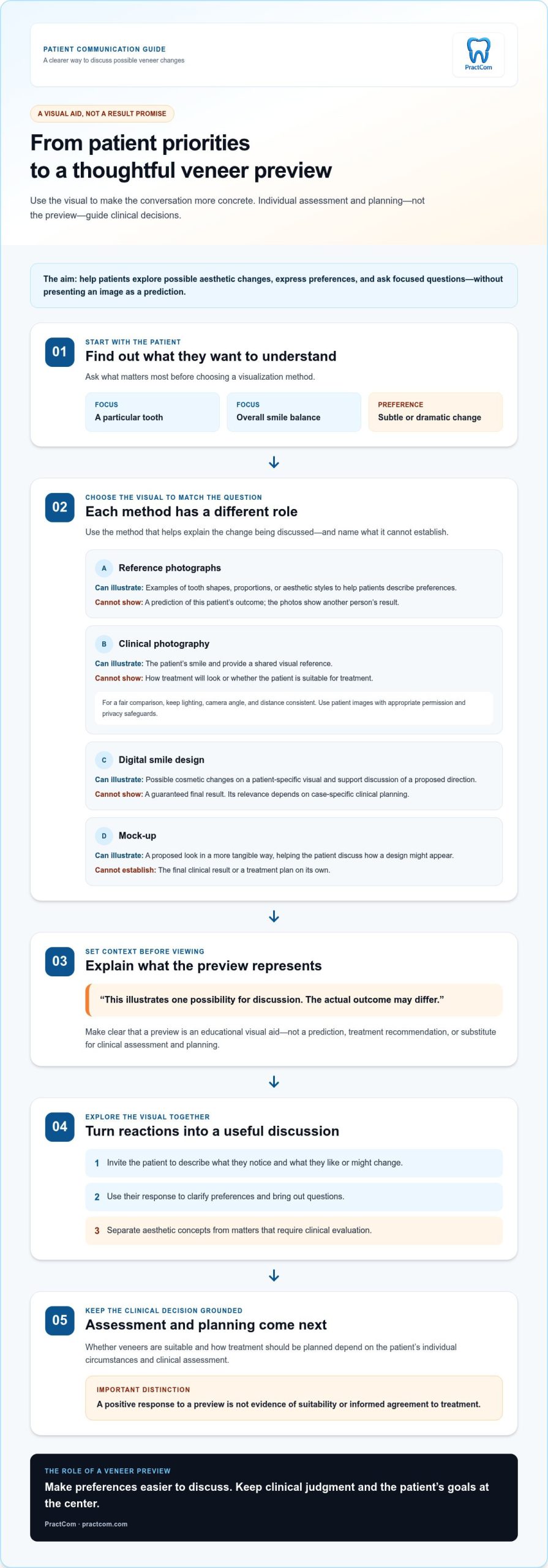
Make veneer visualization part of a consistent patient communication workflow
A veneer preview is most useful when it connects to what happens before and after the consultation. Patients may need time to think, discuss options, or revisit what they heard. A clear, repeatable communication process helps your team continue the conversation without making the visualization feel like a promise or a decision.
Keep the patient conversation clear after the preview
After discussing the visual, send or provide a concise recap in language the patient can easily understand. Summarize their preferences, the points discussed, and the next steps. Reinforce what the preview illustrates and what it doesn’t establish. For example: “We reviewed one possible aesthetic direction. Your clinical assessment and treatment plan guide what may be appropriate for you.”
Use the same terms in conversation and follow-up. Words such as “possible,” “proposed,” and “illustrative” help prevent confusion, especially if the patient revisits the preview later or discusses it with someone else. For broader context on clear, trust-building communication, read this dental patient experience guide.
Support a repeatable workflow with communication tools
A practical workflow links the visual discussion with the communication that follows. Your team can recap the consultation, document relevant preferences and questions through its established process, and share appropriate follow-up information. These steps help patients return to the conversation with a clearer understanding of what was discussed, while keeping clinical decisions with the dental team.
PractCom’s smile design tool supports cosmetic before-and-after visualization. It can be used as one element in a broader patient communication process that includes digital informed consent forms, automated patient follow-ups, and a patient portal. PractCom also provides a library of more than 80 post-treatment instruction templates. These tools support communication and documentation; they don’t replace clinical assessment, treatment planning, or professional judgment.
- During the consultation: Use the visualization to discuss the patient’s aesthetic preferences.
- After the consultation: Provide a concise recap and outline the agreed next steps.
- Across the patient journey: Keep explanations consistent so patients can revisit key information without mistaking a preview for a guaranteed result.
A consistent workflow helps every team member explain how to show patients before and after veneers: use the visualization as a discussion aid, follow it with clear communication, and keep clinical judgment central. Explore PractCom’s smile design and patient communication tools to see how visualization can fit into an organized patient journey.
Make every veneer preview a clearer conversation
A strong veneer preview helps patients explore possible aesthetic changes, but it should never stand in for clinical assessment or be presented as a guaranteed result. To show patients before and after veneers, begin with their priorities, choose a visual that supports the discussion, and explain what it can and can’t show. Clear follow-up helps patients revisit the conversation and understand the next steps.
PractCom brings smile design for cosmetic before-and-after visualizations together with patient communication and documentation tools, including digital informed consent forms. Documents are available in 15 languages, supporting communication with patients who prefer information in another language.
Explore PractCom’s patient communication tools to see how visualization and follow-up can fit into an organized patient journey. With a thoughtful process, your team can help patients feel informed, heard, and ready to consider their options at their own pace.
Frequently Asked Questions
How can a dentist show a patient what veneers might look like?
A dentist can use reference photographs, clinical photography, digital smile design, or a mock-up to discuss possible changes. The right choice depends on what the patient wants to understand. To decide how to show patients before and after veneers, first ask what they hope to change, then explain what the visual represents and what it cannot predict. Keep clinical assessment central to treatment decisions.
Can a digital veneer preview show the exact final result?
No. A digital preview illustrates a possible appearance; it can’t guarantee an identical final result. The image is shaped by visualization choices, while the treatment plan depends on individual clinical assessment. Explain this before reviewing the preview, using words such as “possible” or “proposed.” Patients should understand that the image is a discussion aid, not a promise about the final appearance or evidence that treatment is suitable.
What is the difference between a smile design preview and before-and-after photos?
Before-and-after photos show changes in another person’s smile, or document a patient’s own smile at different stages. They can illustrate aesthetic examples but don’t predict an individual result. A smile design preview visualizes proposed cosmetic changes for discussion. It may feel more relevant to the patient, but it remains an illustration. Neither type of visual replaces clinical assessment or establishes the final treatment plan.
Should dentists use patient photos to show veneer results?
Patient photos can illustrate real examples when they’re relevant to the discussion and used with appropriate permission and privacy safeguards. Explain that another patient’s outcome doesn’t predict what someone else can achieve. Keep comparisons fair by using consistent lighting, angle, and distance where possible, and avoid alterations that could misrepresent the result. If an image isn’t appropriate to share, discuss the concept using another visual method.
How do you manage patient expectations when showing veneer previews?
Set expectations before presenting the visual. Explain that it shows a possible or proposed aesthetic direction, not a guaranteed outcome, and that individual assessment guides treatment planning. Ask what the patient likes or would change, then clarify what remains uncertain in plain language. Use consistent wording in the consultation and any follow-up summary. Recording preferences and questions through the practice’s established process can help maintain a clear account of the discussion.
Can a mock-up help patients understand proposed veneers?
Yes. A mock-up can make a proposed appearance easier to discuss by giving the patient a more tangible visual reference. Use it to invite feedback about preferences and questions, not as proof of the final result. Explain what the mock-up represents and how clinical assessment informs the treatment plan. This helps patients explore an aesthetic direction without assuming the proposed look is guaranteed or determines whether veneers are appropriate.
When should a dental team show a veneer preview?
Show a preview after asking about the patient’s goals and reviewing relevant clinical information, so the visual supports a focused conversation. Explain its purpose and limitations before presenting it, then pause for the patient’s response. A preview can help explore preferences before a treatment decision, but shouldn’t replace assessment or pressure someone to proceed. Summarize the discussion and agreed next steps so the patient can revisit the information later.

Article by
Cary Ganz DDS
Dr. Cary H. Ganz is a dentist, prosthodontist, entrepreneur, lecturer, and author with more than 50 years of experience in clinical dentistry and dental technology. Throughout his career, he has combined hands-on patient care with a deep understanding of how technology can improve dental practice operations, communication, documentation, and patient outcomes.
In addition to his clinical background, Dr. Ganz has held significant leadership roles in the dental technology industry, including Past Owner and Vice President of Clinical Affairs at DEXIS Digital Radiography and Past Vice President of Clinical Affairs at Denticon Practice Management Software. His business experience includes product development, clinical strategy, dental software innovation, practice management solutions, and educating dental professionals on the effective use of technology in modern dentistry.
Today, Dr. Ganz continues to focus on creating practical technology solutions for dental practices, including PractCom, a comprehensive dental practice communication platform designed to improve patient communication, documentation, compliance support, referrals, and overall practice efficiency. His work reflects a career-long commitment to helping dentists deliver better care while making their practices more organized, efficient, and protected.
No responses yet