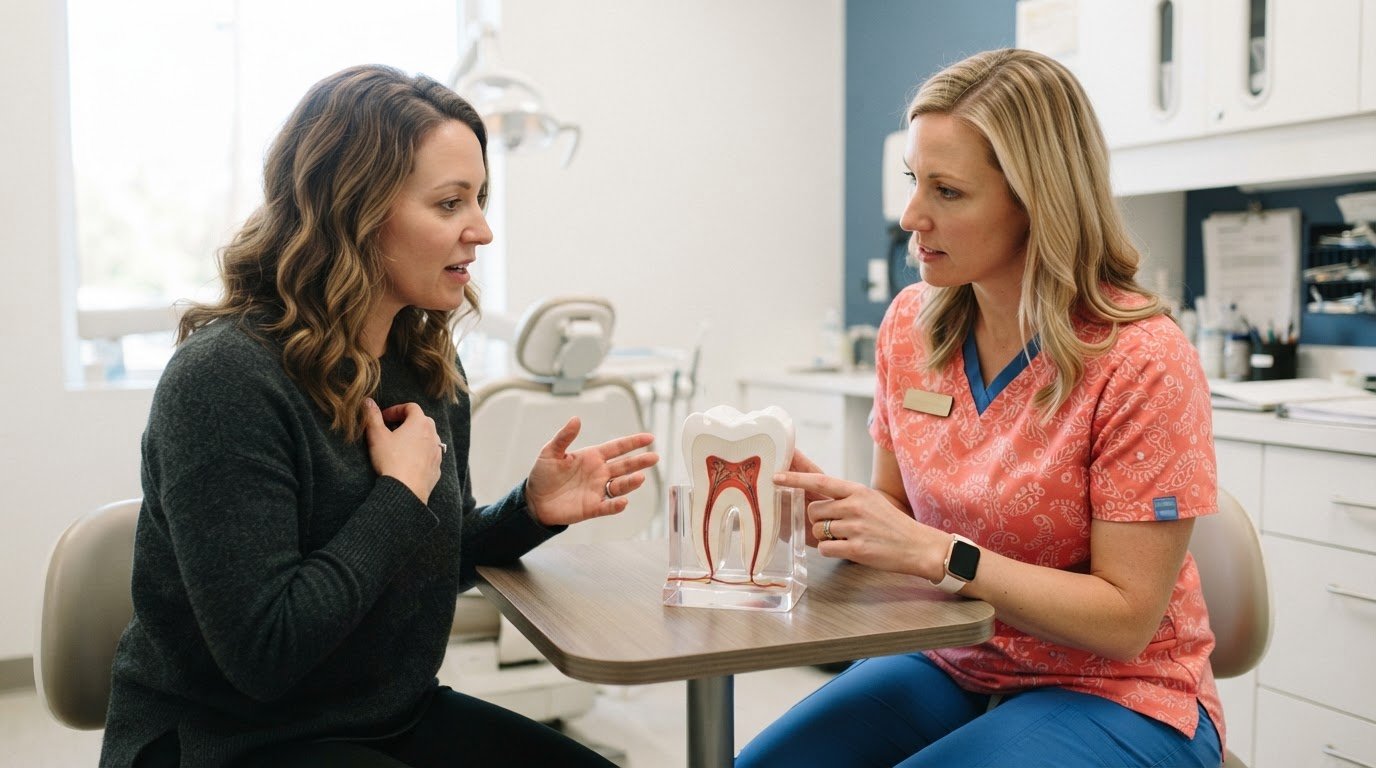
A signed form isn’t the whole consent process. In U.S. dental practices, informed consent is required for each procedure not covered by general consent. Digital informed consent software for dentists can help organize forms around the treatment being discussed. Consent should be obtained before care, and documentation requirements vary by state and procedure.
That distinction matters when a treatment plan changes or a patient needs time to understand the risks, benefits, and alternatives. A digital workflow can make the relevant procedure-specific form easier to deliver and document, but it supports the conversation rather than replacing it. Learn which treatments may need separate consent, what electronic signatures and audit trails record, and how procedure codes can help match forms to planned care. A connected workflow helps keep patient questions, signed documentation, and the treatment plan together, giving your team a clearer process before care begins.
Key Takeaways
- Identify when treatment falls outside general consent and needs a form tailored to the procedure.
- Understand what an electronic signature and audit trail can document, and why the consent conversation still matters.
- See how linking forms to procedure codes can help deliver relevant paperwork before treatment.
- Learn how a digital workflow can organize consent, patient access, and related documents in one communication process.
Which dental procedures require separate consent forms?
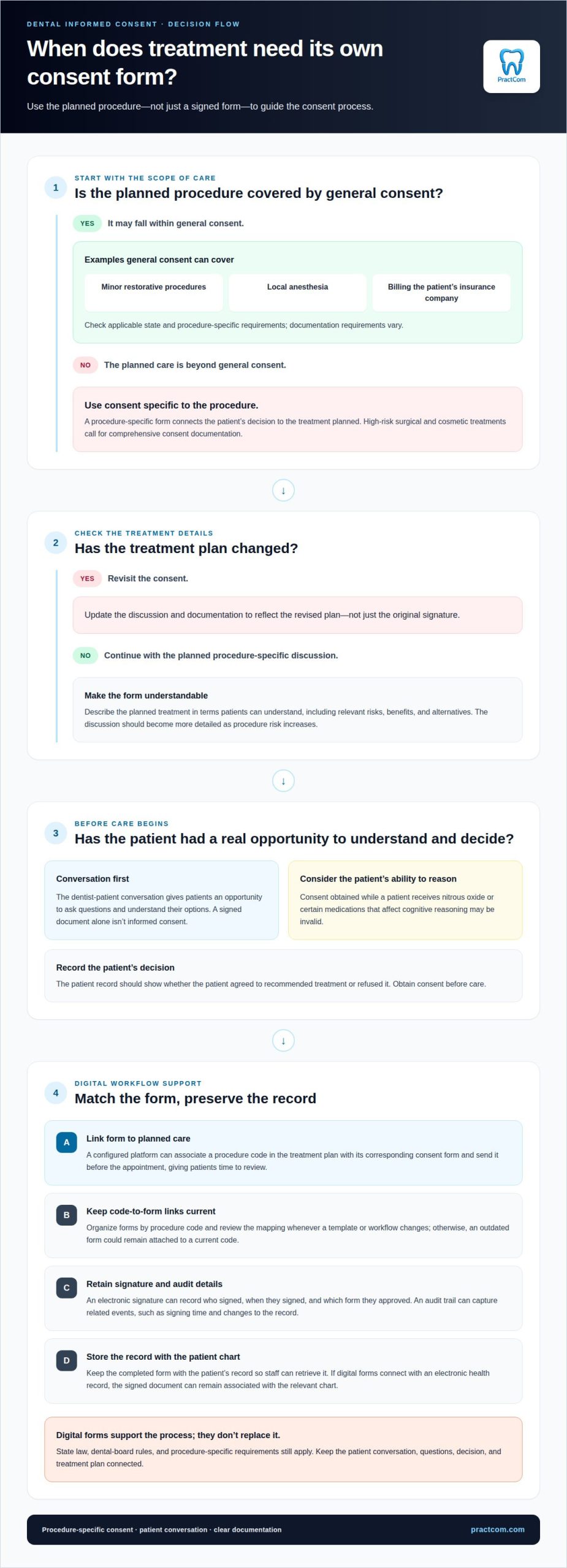
In U.S. dental practices, informed consent is required for each procedure not covered by general consent. A procedure-specific form connects the patient’s decision to the treatment planned, rather than relying on a broad authorization. General consent can cover minor restorative procedures, local anesthesia, and billing the patient’s insurance company. Care beyond that scope calls for consent specific to the procedure.
For example, high-risk surgical and cosmetic treatments call for comprehensive consent documentation. The form should describe the planned treatment in terms patients can understand, including relevant risks, benefits, and alternatives. Consent should happen before care. If the treatment plan changes, update the discussion and documentation to reflect the revised plan, not just the original signature.
A signed document alone isn’t informed consent. The dentist-patient conversation gives patients an opportunity to ask questions and understand their options. The patient record should show whether the patient agreed to recommended treatment or refused it. The discussion should become more detailed as procedure risk increases. Consent obtained while a patient receives nitrous oxide or certain medications that affect cognitive reasoning may be invalid.
Pre-built dental consent forms provide a starting structure, while customization can match documents to a particular procedure and practice policy. For example, a form for surgical treatment should not be treated as interchangeable with one for minor restorative care. Update forms when policies or regulatory requirements change, and revisit the consent discussion when treatment plans are modified.
In the United States, the relevant category is dental-specific digital informed-consent platforms that support procedure-related forms. Electronic forms can make delivery and documentation more orderly, but they don’t replace discussion, patient questions, or state- and procedure-specific requirements. Consider whether patients can access and understand the form before signing.
Digital forms may contain protected health information (PHI), even when a patient leaves a form incomplete. The U.S. Department of Health and Human Services describes HIPAA protections for sensitive patient information. Practices should protect PHI in abandoned forms until secure deletion under organizational policy. Good documentation practices safeguard unfinished records as well as completed signatures.
Electronic signatures and audit trails
Electronic consent records can document who signed, when they signed, and which form they approved. Their value depends on clear records and a process that preserves the connection between the signature and the treatment.
Signature Records and Audit Trails
An electronic signature records a person’s approval of a specific digital consent form. An audit trail captures related events, such as the signing time and changes to the record. Together, these records help a dental practice reconstruct the consent workflow if questions arise later. Store the completed form with the patient’s record so staff can retrieve it. Where digital forms connect with an electronic health record, the signed document can remain associated with the relevant chart.
Signer Authority
Signer authority means confirming that the person signing has the appropriate role to consent to the planned treatment. For an adult patient, the workflow should identify the patient as the signer. For a minor, a parent or guardian may need to provide consent; obtaining parental consent before an appointment is recommended when a minor attends without one. Record the signer’s identity and relationship to the patient, rather than relying on a signature alone. The dentist-patient conversation remains essential.
Witnesses and Dates
A witness can document that a signature was made, while the date places that action in the treatment timeline. A digital form can capture its signing date alongside the patient’s signature and retain that information in the record. If a witness participates, identify the witness and their role in the same consent record. These details help distinguish consent given before a procedure from paperwork completed later, but don’t replace the patient’s opportunity to ask questions.
U.S. Requirements for Electronic Consent
U.S. requirements depend on applicable state law, dental-board rules, and procedure-specific consent requirements. According to the U.S. Food and Drug Administration, electronic signatures used on or after August 20, 1997, are intended to be legally binding equivalents of handwritten signatures. The E-Sign Act allows electronic records to satisfy written-information requirements when consumers affirmatively consent to electronic use and haven’t withdrawn that consent. Electronic records support documentation, but a signed form alone doesn’t complete informed consent.
Automatic consent form delivery based on procedure codes
A procedure-code workflow matches planned treatment with its relevant consent form. For example, when a treatment plan includes a code for a surgical procedure, a configured platform can associate that code with the corresponding document. The form can then be sent before the appointment, giving patients time to review it. This can reduce manual searching and help keep consent aligned with scheduled care.
Templates provide a consistent starting point, while customization makes each document reflect the procedure and practice policy. A dental practice can organize forms by procedure code, then update the associated template when the treatment plan changes. Staff need a clear process for maintaining those links; otherwise, an outdated form could remain attached to a current code. Review the code-to-form mapping whenever a template or workflow changes.
A useful consent form identifies the proposed treatment and explains its purpose in plain language. It should present relevant risks, benefits, and alternatives with enough detail for patients to understand the decision. For example, a form for surgical treatment should describe that treatment rather than rely on a generic authorization. Patients should have room to ask questions during the consent discussion, not just sign documents.
Secure access matters throughout delivery and storage. Digital consent documents can be encrypted and stored in cloud-based systems, while the HIPAA Privacy Rule sets standards for managing, transmitting, and storing protected health information. Access controls can limit completed forms to employees whose job duties require access. A practice should also revoke access when an employee no longer needs it.
Accuracy and accessibility belong in the same workflow. Before sending a form, confirm that the platform’s procedure-code mapping matches the planned treatment and current document version. Plain language helps patients understand the content, while translated forms and screen-reader compatibility can support access. Integrating consent documents with scheduling or electronic health record systems can reduce repeated manual entry, but the mapped form still needs to reflect the actual treatment plan.
Digital consent workflow features
A digital consent workflow connects the treatment plan, patient discussion, signed form, and clinical record. The essential point is sequence: obtain consent before treatment, and preserve evidence of the patient’s decision and questions.
For example, a patient can review a consent form from home on a phone or complete it on an in-practice tablet. The dentist then discusses the treatment, answers questions, and confirms the signed form before providing care. A cloud-stored record with timestamps can help staff locate the completed documentation. Some platforms also include reminders or dashboards to flag missing or outdated forms, helping teams spot gaps before an appointment.
Dental consent platforms differ in how they support form delivery, patient access, record storage, and workflow visibility. Ease of use depends on whether patients can review and sign forms on familiar devices, and whether staff can retrieve the right record without disrupting clinical work. Look for a workflow that keeps forms connected to treatment plans, supports patient questions, and makes incomplete steps visible. No feature replaces the dentist’s consent conversation.
To implement digital consent, start by deciding which procedures need separate forms and how each form relates to planned treatment. Then configure the documents and delivery process, and establish who reviews incomplete forms before care. Integrating forms with appointment scheduling or an electronic health record can reduce repeated data entry. Test the workflow with a sample appointment, from sending the form to retrieving its signed record.
Patient experience depends on more than a quick signature. Use plain language, give patients time to consider treatment options, and make space for questions. A form can confirm that the patient had an opportunity to ask questions, received answers, and understood the information before signing. For a remote review, follow-up information through email or a patient portal can help patients revisit the discussion and understand the planned care.
PractCom: Digital Informed Consent Forms
PractCom’s Digital Informed Consent Forms help dental teams organize procedure-related consent documents and share them with patients. They’re a natural fit when your practice wants a consistent way to deliver forms and keep consent connected to patient communication.
PractCom also offers a Post-Treatment Instruction Library and Patient Portal to support communication before and after care. Its Referral Management System helps organize referral-related communication alongside these patient workflows. Together, these tools address specific communication needs without replacing the clinical conversation or the dentist’s responsibility to explain treatment options.
If you’re considering a more organized digital consent process, explore PractCom’s communication platform to see how its consent forms and patient tools can support your practice’s workflow.
Make consent part of a dependable care workflow
As your practice evolves, consent workflows should evolve with it. New procedures, revised treatment pathways, and changes to team responsibilities can expose gaps between what patients receive and what staff expect to find. Set a regular review point for form ownership, code-to-form assignments, and the route a signed record takes into the patient file. This keeps digital documentation connected to how your team delivers care.
Consider where delays or repeated explanations occur, then identify how a more connected process could address them. The right digital informed consent software for dentists should support that process without turning a signature into a substitute for clear communication. Use the system to make each step visible while clinicians lead the conversation, answer questions, and document patient choices. A consistent workflow gives your team a practical foundation to refine as needs change.
Talk with PractCom about the communication workflow you want to build. Contact PractCom to discuss your needs. With a clear next step, your practice can move toward a more organized consent experience for patients and staff.
Frequently Asked Questions
What is digital informed consent software for dental practices?
Digital informed consent software for dentists helps practices prepare, deliver, and retain consent forms electronically. It gives staff a structured way to manage documents before appointments and associate them with a patient’s care. For example, a team can track whether a form is pending or complete, then follow up on unfinished paperwork. The software supports documentation, while the dentist remains responsible for discussing treatment with the patient.
What features should dentists look for in digital consent software?
Look for tools that make forms easy to find, revise, and deliver through a patient-friendly workflow. Useful capabilities include document version history, accessible form layouts, clear completion status, and a straightforward way to retrieve a patient’s record. For instance, version history helps staff distinguish a revised document from an older copy. Consider whether the workflow is clear for both patients and front-desk staff.
Does dental informed consent software integrate with practice management and EHR systems?
Some digital consent platforms can connect with appointment scheduling and electronic health record (EHR) systems, helping keep forms associated with patient records. The specific connection depends on the software and system setup. PractCom focuses on patient communication and documentation; it isn’t full Practice Management Software (PMS). This distinction matters if your practice needs scheduling, billing, or broader operational management in addition to consent documentation.
How does HIPAA apply to digital consent software used by dentists?
HIPAA applies to how a dental practice manages protected health information (PHI), including information entered into digital forms. The U.S. Department of Health and Human Services says the HIPAA Privacy Rule sets standards for managing, transmitting, and storing PHI. Practices should control access based on job duties and address incomplete forms under their organizational policy. If a platform handles PHI on the practice’s behalf, obtain a business associate agreement.
How accessible and multilingual are digital consent forms for dental patients?
Accessibility depends on the form’s language, layout, and compatibility with assistive technology. Plain wording and screen-reader-compatible documents can help patients review information, while electronic forms let people use their own devices. PractCom provides documents in 15 languages and supports delivery by email, text, or print. Offering a paper option can also help patients who prefer reviewing a physical document or need another way to access the content.
How do dental consent software platforms compare on features and ease of use?
Platforms differ in form delivery, patient access, record storage, and workflow visibility; some also offer procedure-code matching, electronic signatures, audit trails, reminders, dashboards, and EHR or scheduling integration. Ease of use depends on whether patients can review and sign forms on a phone or in-practice tablet, and whether forms use clear language and accessibility features.

Article by
Cary Ganz DDS
Dr. Cary H. Ganz is a dentist, prosthodontist, entrepreneur, lecturer, and author with more than 50 years of experience in clinical dentistry and dental technology. Throughout his career, he has combined hands-on patient care with a deep understanding of how technology can improve dental practice operations, communication, documentation, and patient outcomes.
In addition to his clinical background, Dr. Ganz has held significant leadership roles in the dental technology industry, including Past Owner and Vice President of Clinical Affairs at DEXIS Digital Radiography and Past Vice President of Clinical Affairs at Denticon Practice Management Software. His business experience includes product development, clinical strategy, dental software innovation, practice management solutions, and educating dental professionals on the effective use of technology in modern dentistry.
Today, Dr. Ganz continues to focus on creating practical technology solutions for dental practices, including PractCom, a comprehensive dental practice communication platform designed to improve patient communication, documentation, compliance support, referrals, and overall practice efficiency. His work reflects a career-long commitment to helping dentists deliver better care while making their practices more organized, efficient, and protected.
No responses yet