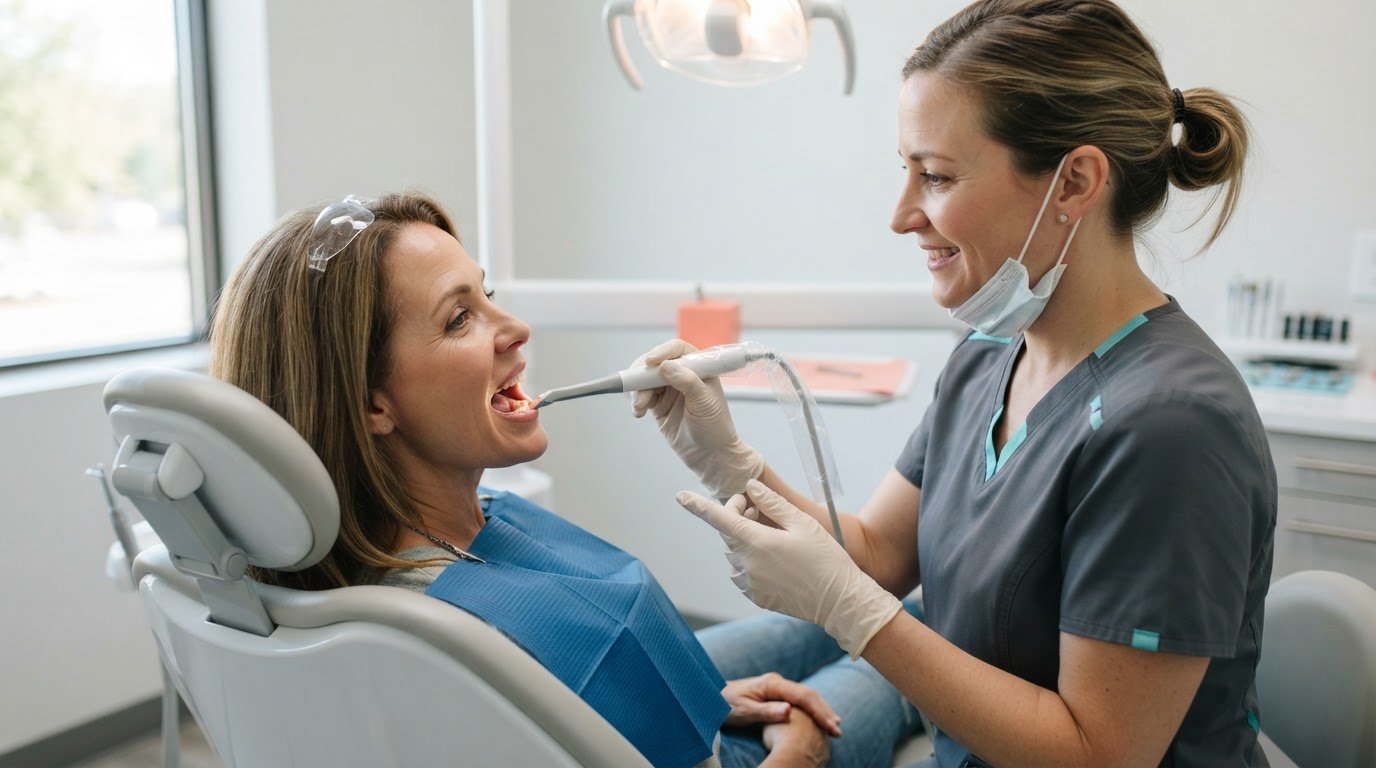
Dental technology should make care clearer without making it feel less personal. Technology to enhance patient experience in dentistry can help patients understand what is happening and what comes next. Visual aids can clarify treatment options, digital forms can organize information, and intraoral cameras can show what the dentist sees. A calm explanation and a conversation tailored to the patient remain just as important.
Patients want efficient visits and clear answers without losing the human connection that builds trust. Videos, images, and digital models can support patient education; electronic forms can help organize information; and intraoral camera images can make dental concerns easier to discuss. Digital workflows can also support smoother communication, especially when dental professionals use them to listen, explain, and respond to each patient’s needs.
Key Takeaways
- Use videos, animations, and visual aids to make complex treatment options easier to understand and discuss.
- Let digital tools support smoother communication while keeping attentive, personalized care at the center of each visit.
- Use intraoral camera images to give patients a clearer view of dental concerns and support informed conversations.
- Explore how digital workflows and communication tools can organize routine interactions and help patients understand what comes next.
Videos, animations, and visual aids for patient education
Visual education helps patients follow explanations about dental care and treatment options. Technology to enhance patient experience in dentistry works best when a clear visual is paired with a clinician’s plain-language explanation, with time for questions before decisions are made.
Videos and Visual Aids
Videos, animations, and clinical images make dental procedures easier to picture. An animation can show how a filling treats decay, while a labeled tooth model can identify the planned treatment area. These aids give patients a shared reference and connect clinical terms with familiar images. The dentist can pause, clarify details, and ask what the patient would like explained further.
Interactive Patient Education
Interactive education lets patients explore information rather than only watch or read it. A dentist might use a digital tooth model to show a treatment area, compare options, and ask the patient to describe what remains unclear. That exchange can reveal misunderstandings early. Advanced visual tools are most useful when the clinician explains what each image shows and relates it to the patient’s concern.
Patient education can continue at home through online resources and dental apps. Patients can revisit brushing guidance or post-treatment instructions after a visit. Digital intake forms can also collect concerns before an appointment, giving the care team a focused starting point for discussion.
For apps and digital records containing identifiable patient information, practices must follow applicable HIPAA privacy and security requirements. Before adopting a tool, consider how it handles access, storage, and sharing.
Adoption costs depend on the tools selected, setup, workflow integration, and staff training. Practices can identify whether education, intake, or appointment communication is the priority, then assess the resources each option requires.
Online scheduling, reminders, and patient portals help patients arrange appointments, keep track of visits, and access relevant information digitally. Technology to enhance patient experience in dentistry should make these routine tasks easier while leaving the care team available to answer questions that need a personal response.
Balancing technology with human care
Dental technology supports care best when it gives clinicians more time for patients, not less conversation. A digital treatment plan can organize images and clinical notes while the dentist explains options in plain language. This balance helps patients understand decisions and gives the team a consistent way to communicate without making an appointment feel automated.
In periodontal care, virtual reality can provide a distraction during treatment. A clinical study reported that patients receiving periodontal treatment experienced less pain with virtual reality than with a movie or no distraction. The technology may support comfort, but the clinician still monitors the patient, explains each step, and adjusts care to the person’s needs.
Teledentistry can extend access through remote consultations, follow-up care, and some diagnostic services. A patient might discuss symptoms remotely or receive a check-in after treatment. This can help when scheduling or travel is difficult, but it is not a substitute for in-person visits when an examination or hands-on care is needed.
AI and connected devices have limits. AI can support clinical decisions, but its output depends on the data it processes and should not replace professional judgment. Digital records and device data can expose sensitive information if access controls and security are weak. Practices should protect identifiable data before sharing it with healthcare services or partners.
To choose and implement patient-experience technology, start with a specific workflow problem, such as unclear post-treatment guidance or difficult follow-up. Choose a tool that addresses that need, train staff to use it, and explain the process to patients. Then review feedback and workflow performance to see whether the tool supports oral health and patient satisfaction without adding friction.
For practices improving digital communication after appointments, explore patient communication tools that support follow-ups while keeping the care team involved.
Intraoral cameras and patient understanding
An intraoral camera captures video inside the mouth and displays it on a monitor. Patients can see a tooth’s surface during a discussion instead of relying only on verbal descriptions. The dentist can point to a visible area and explain why it needs attention. This shared view supports patient education and gives each visit a clearer focus.
Digital imaging helps clinicians examine dental concerns and explain treatment options. Clear images can support diagnosis and customized treatment planning. A dentist can compare the area of concern with surrounding teeth, describe the findings, and explain what happens next. This visual conversation can make clinical decisions easier to follow, especially for patients unfamiliar with dental terminology.
Digital X-rays display images on a computer screen, helping dental staff review results and make decisions sooner. AI tools have also been reported to identify tooth decay from dental radiographs more consistently than dentists. These tools can assist with diagnostic review, while the clinician interprets findings in context and discusses their relevance with the patient.
For patients, imaging can make an explanation more concrete. Seeing an area on screen may help connect a recommended procedure with the concern being discussed. Digital imaging can also reduce the need for invasive exploratory procedures, supporting comfort and trust in a treatment plan. The dentist should explain what the image shows rather than expect patients to interpret it alone.
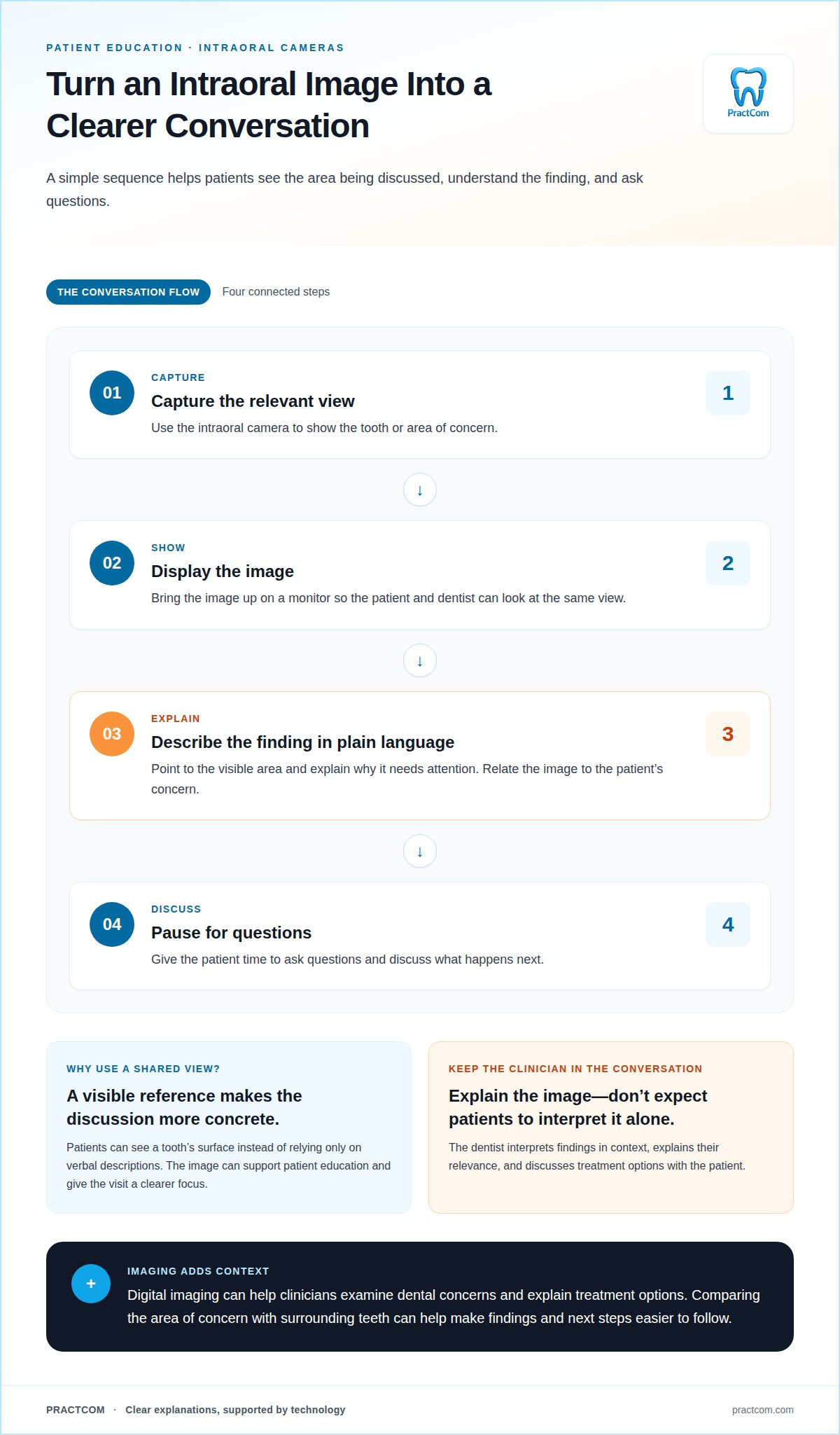
To make camera use meaningful, the team can follow a simple sequence: capture the relevant view, display it, explain the finding in plain language, and pause for questions. This keeps technology connected to the patient’s concerns. More images alone do not improve understanding; a focused explanation makes each image useful during a dental visit.
At Fraser Family Dental, patients can view digital scans on a monitor while discussing dental concerns with the dentist. Fraser Family Dental says clear digital images support more accurate diagnoses and customized treatment plans. The practice uses technology to facilitate communication between dental staff and patients. A shared view can keep questions focused on the concern at hand while the dentist explains how the images relate to possible next steps.
How do digital dental workflows reduce wait times and improve care?
Digital workflows can reduce delays by moving information between appointment stages without paper handoffs. Online scheduling lets patients request appointments digitally, while reminders help them keep track of upcoming visits. Automated systems can handle routine tasks, leaving dental professionals more time for direct patient care.
During an examination, digital X-rays display results immediately on a computer screen. Staff can review images sooner and make clinical decisions without waiting for film development. Digital impressions also replace traditional goopy impression material with scans that create models of a patient’s teeth in minutes. That can make the impression stage more comfortable and efficient.
For restorative treatment, CAD/CAM technology can let dentists design and create crowns or veneers in-house. Same-visit crowns can remove the need for temporary repairs and reduce the steps between preparation and restoration. The workflow depends on the treatment required, but in-house design and production can reduce the need for multiple appointments.
Digital records are faster to review and easier to update than paper charts. A team can access relevant notes and imaging during care, helping maintain continuity between visits. These tools work best when staff keep records organized and use them to support, not replace, clinical judgment.
Efficiency also depends on how well digital steps connect. A practice can map the patient journey from scheduling through follow-up, identify repeated manual tasks, and choose tools that address those points. Digital intake before an appointment can organize patient information, while automated follow-ups can share relevant next steps after treatment. Reviewing workflow performance helps teams identify where delays persist.
Digital workflows can streamline administrative communication while keeping explanations and decisions personal. Explore patient communication tools for dental practices to support a more connected experience.
Online scheduling and other technology solutions can help dental practices reduce patient wait times. Fraser Family Dental uses digital imaging systems that make dental images available almost instantly. Cedar Village Dentistry says digital impressions and treatment-planning software can help reduce treatment time and errors. Traditional dental X-rays take longer to develop and expose patients to higher levels of radiation than digital X-rays. Digital scanning devices create images of teeth without traditional goopy impression material, while 3D printing can create new dental splints in just over an hour.
PractCom
PractCom helps dental practices organize patient communication around care, from informed consent to post-treatment guidance. Its communication and documentation tools help practices share clear information and follow up without relying on scattered manual processes.
Digital Informed Consent Forms help structure consent communication, while the Post-Treatment Instruction Library gives practices resources for sharing care guidance after procedures. A Patient Portal can provide a digital place for patient communication, and the Referral Management System supports referral coordination. Together, these tools address communication tasks that complement clinical technology while leaving diagnosis and treatment decisions with dental professionals.
If your practice is looking to make patient communication more organized and understandable, contact PractCom to discuss your needs.
Make your next improvement patient-centered
The strongest technology choices begin with the patient experience you want to create, not the newest tool on the market. Consider where clearer explanations, easier communication, or more consistent follow-up would make the biggest difference. Then build a workflow that helps your team deliver that experience while preserving time for attentive, direct care.
Technology to enhance patient experience in dentistry works best as part of a thoughtful approach: useful tools, clear communication, and professionals who remain present in every interaction. Refine that approach over time by using feedback from patients and staff to guide improvements.
PractCom can help your practice organize patient communication around care. Contact PractCom to discuss your needs and explore a practical next step for your team.
Small, intentional improvements can make the patient journey clearer while keeping human care at its center.
Frequently Asked Questions
What technologies improve patient experience in dental offices?
Useful options include online scheduling, digital intake forms, electronic records, intraoral cameras, patient education tools, and automated follow-up systems. The right mix depends on where patients need clearer information or simpler communication. For example, digital intake can capture a patient’s main concern before arrival, while a portal can make relevant visit documents easier to access afterward.
Article by
Cary Ganz DDS
Dr. Cary H. Ganz is a dentist, prosthodontist, entrepreneur, lecturer, and author with more than 50 years of experience in clinical dentistry and dental technology. Throughout his career, he has combined hands-on patient care with a deep understanding of how technology can improve dental practice operations, communication, documentation, and patient outcomes.
In addition to his clinical background, Dr. Ganz has held significant leadership roles in the dental technology industry, including Past Owner and Vice President of Clinical Affairs at DEXIS Digital Radiography and Past Vice President of Clinical Affairs at Denticon Practice Management Software. His business experience includes product development, clinical strategy, dental software innovation, practice management solutions, and educating dental professionals on the effective use of technology in modern dentistry.
Today, Dr. Ganz continues to focus on creating practical technology solutions for dental practices, including PractCom, a comprehensive dental practice communication platform designed to improve patient communication, documentation, compliance support, referrals, and overall practice efficiency. His work reflects a career-long commitment to helping dentists deliver better care while making their practices more organized, efficient, and protected.
No responses yet